Booking Setup Wizard
The Booking Setup Wizard is a beautifully designed, step-by-step assistant that launches automatically upon activation. It guides you through the essential configurations so your booking forms are immediately functional.
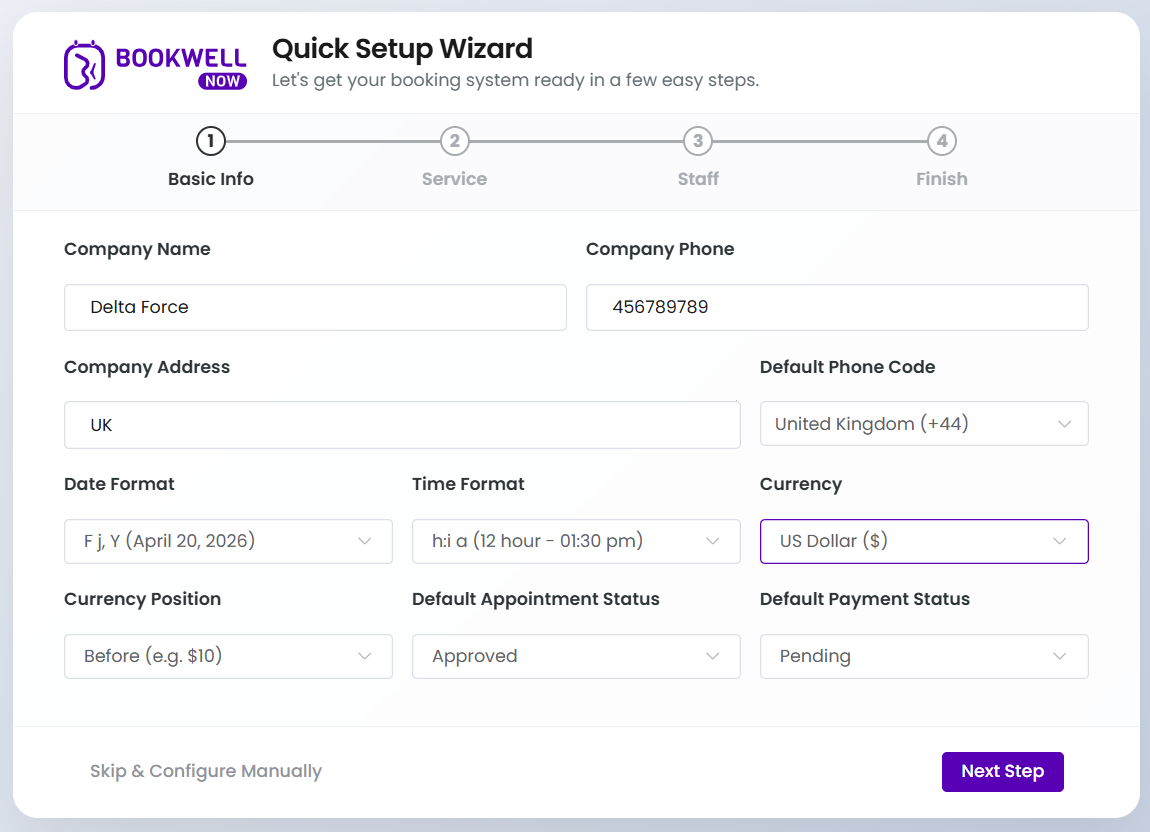
Step 1 — Basic Info
The first screen lets you define your core business details. Set your company name, business phone number, address, and configure your default regional settings like date format, time format, and currency.
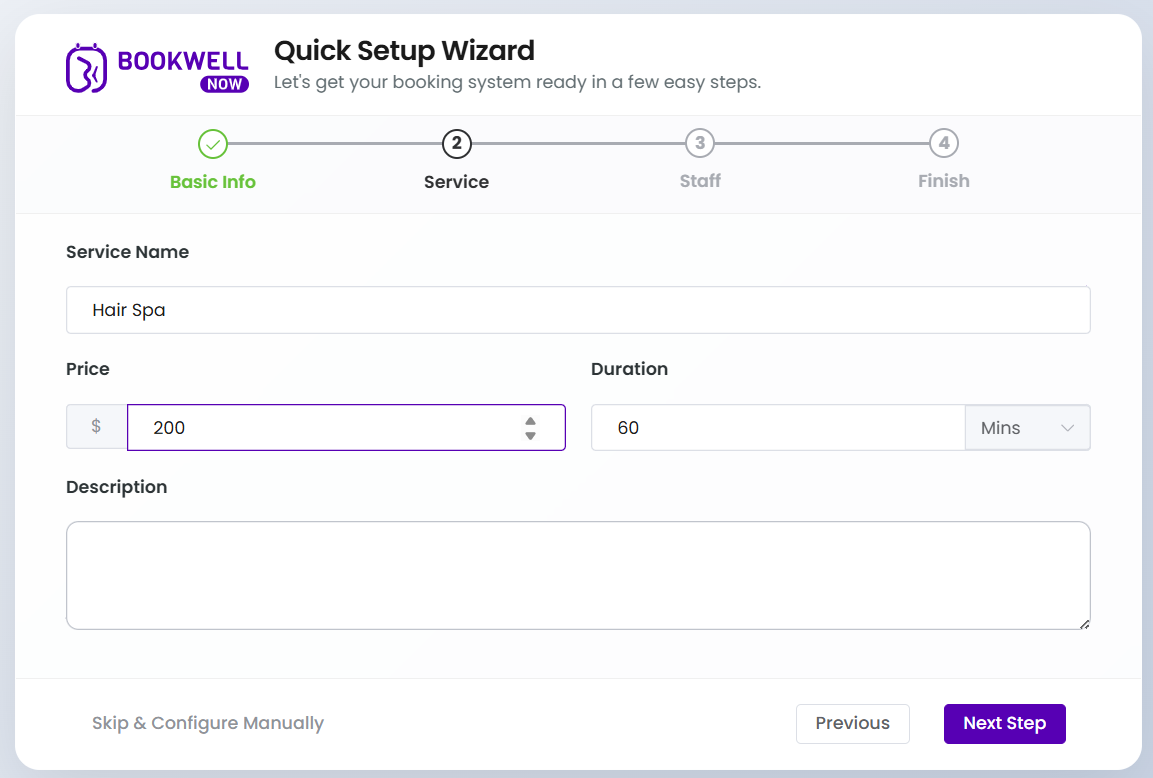
Step 2 — Service
Create a default service to populate your booking flow. Set the service name (e.g., Consultation), pricing, duration, and add a brief description of what the service entails.
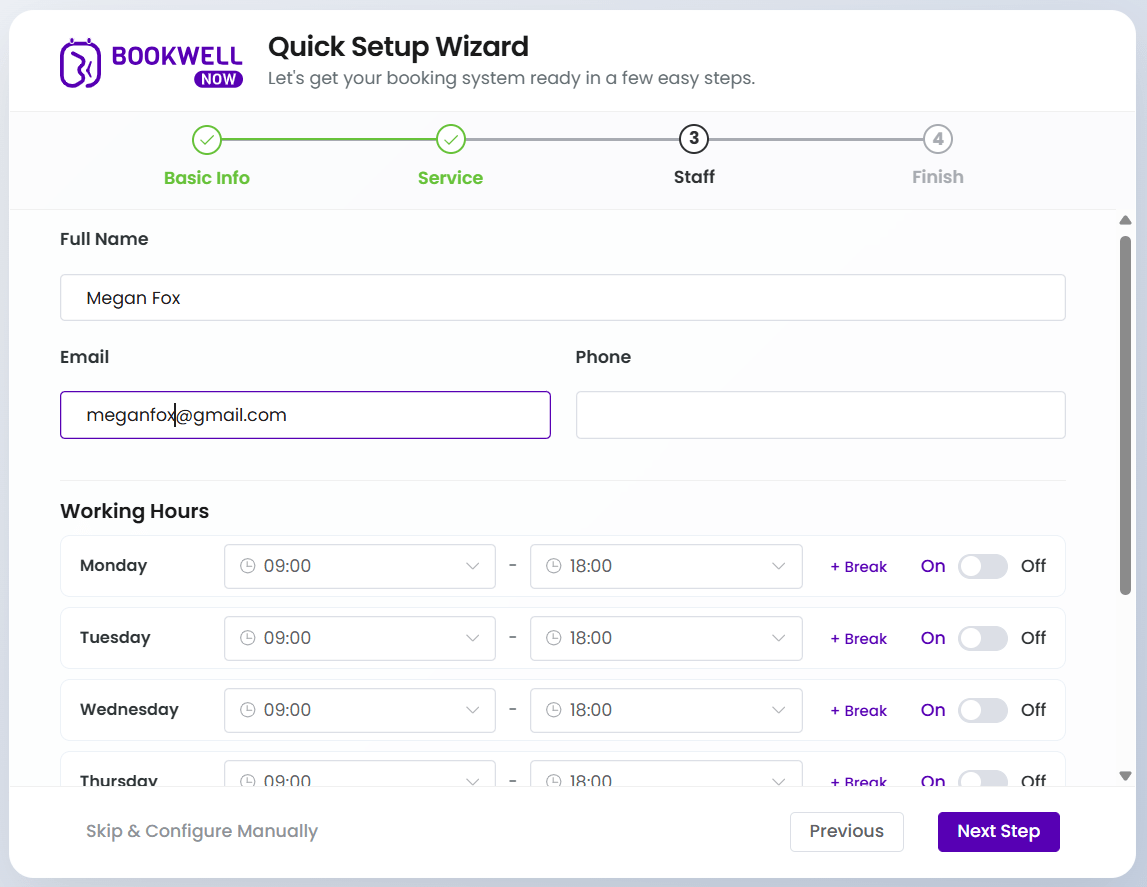
Step 3 — Staff
Add your primary staff member and define their availability. Enter their full name, email, and phone number. Then, configure their weekly working hours, including setting specific start and end times, adding breaks, or marking days off.
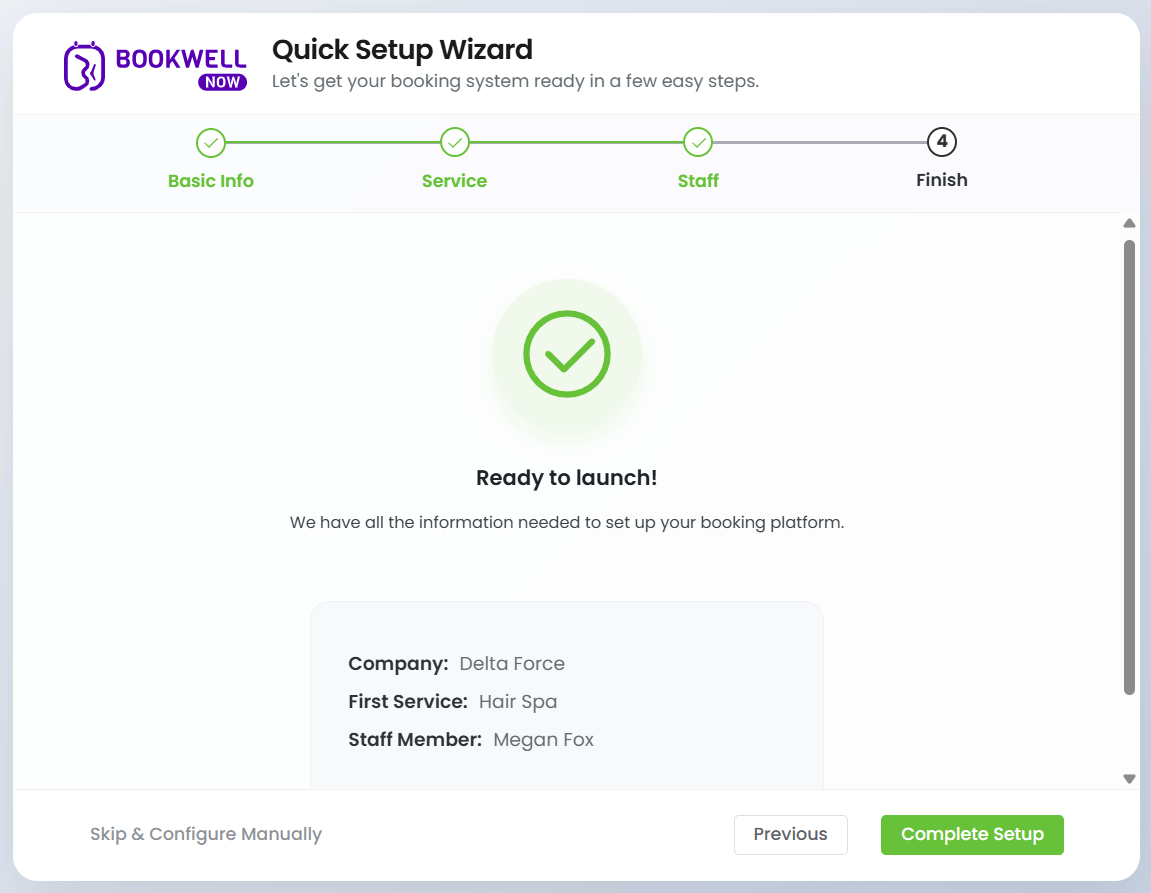
Step 4 — Finish
You’re ready to launch! The final screen provides a quick summary of the company, service, and staff member you just configured. Simply click Complete Setup to finalize your settings and start accepting appointments.